• Need Help? Request A Callback
ITOT
ITOT
  • Home
  • About us
    • Why choose us
    • Vision, Mission and Values
    • Certifications
    • Why We are Different
    • Insights and videos
    • Blogs
  • Abilities
    • Solutions
      • Industrial Automation
      • Solar Industry
      • Hardware and Software Services Industry
      • Healthcare Industry
      • Education Industry
      • E-commerce
      • Trainer Central
      • Food & Beverages
    • Services
    • Case Study
  • Commitments
    • Sustainable Corporate Governance
    • Social & People Impact
    • Ethics & Compliances
    • Environment & Climate
  • Partner With
    • Zoho
  • Clients
    • Our Beloved Clients
  • Engage with us
  • Have any Questions?

    Info@itotcloud.in
    +91-9130875072

Should You Choose Zoho One or Individual Apps? Discover Which Option Fits Your Business Best.

  • Support Management
  • Should You Choose Zoho One or Individual Apps? Discover Which Option Fits Your Business Best.
  • July 11, 2026
  • Shruti Kulkarni

Zoho One vs Individual Apps: Which Is Better for Your Business?

ZOHO ONELICENSING5 MIN READ

A simple guide to choosing the right Zoho setup — and the costs that do not appear on the price list.

What are the two ways to buy Zoho?

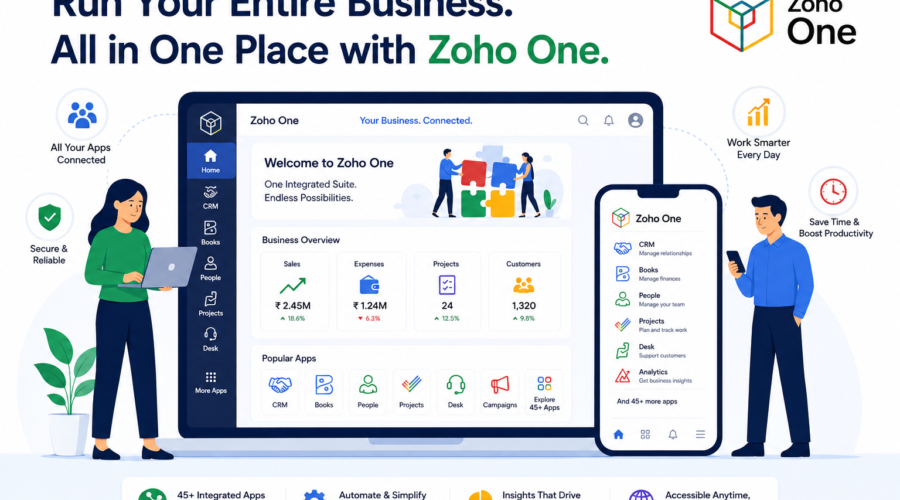
You can buy Zoho applications separately, or choose Zoho One, which bundles 45+ applications under a single subscription.

With individual apps, you pay for the applications you need and license the people who actually use them. Your sales team may use CRM while your accounts team uses Books.

Zoho One comes in two forms. All Employee requires every employee to be licensed. Flexible User lets you license only the people who use the suite.

INDIVIDUAL APPS CRM login + invoice Books login + invoice Desk login + invoice People login + invoice integration work between each pair 4 invoices · 4 renewal dates · 4 support desks ZOHO ONE CRMBooksDesk PeopleCliq45+ One login · one invoice · one admin Apps already talk to each other
Four separate apps means four logins, four invoices and integration work between each pair. One bundle removes that overhead.

When does each option make sense?

Individual apps fit when…Zoho One fits when…
You only need one or two applicationsYou need several apps across departments — CRM, Books, Desk
Only one department uses ZohoMany employees across the business use Zoho
You need an advanced feature only in a higher standalone planYou expect to add more departments and apps later
Your requirements are still changingYou want one login, one invoice and one place to manage access

Do not look only at the subscription price

The real cost of software is more than the licence. Separate applications often need integration work, implementation time and ongoing maintenance. Multiple vendors also mean multiple invoices, support teams, renewal dates and account managers — and separate tools may need extra add-ons for email marketing, live chat or e-signature.

The cost people forget. Switching later. Moving data, workflows and integrations takes time and carries risk — so the setup you choose now shapes what the next change will cost.

How should you decide?

  1. List the applications your business will realistically need over the next 12 months.
  2. Count the people who actually need each application.
  3. Check whether usage sits in one team or spreads across several departments.
  4. Weigh the convenience of one bundle against the admin and integration work of separate tools.
  5. Review the decision every year, because your needs change as the business grows.
A rule of thumb. Two apps in one department usually points to individual licences. Three or more apps across two or more departments usually points to Zoho One.

Not sure which setup fits your business? ITOTCloud Systems is a Zoho Premium Partner working with businesses across Pune and India.
Talk to ITOTCloud Systems

Tags:

Field Service ManagementZoho FSM
Previous Post
Next Post

Leave a comment

Cancel reply

Recent Posts

  • Want to Bring AI-Powered Automation to Your Business? Discover Zia Agents
  • CASE STUDY – Jambehkar Automation
  • Case Study – PANAMERA EVENTS
  • Case Study – WELAN TECHNOLOGIES
  • Case Study – EEPOS INDIA PRIVATE LIMITED

Recent Comments

No comments to show.

Recent Post

  • crysa
    August 14, 2026
    Want to Bring AI-Powered Automation to Your Business? Discover Zia Agents
  • crysa
    August 14, 2026
    CASE STUDY – Jambehkar Automation
  • crysa
    August 13, 2026
    Case Study – PANAMERA EVENTS

Categories

  • Accounting and Inventory
  • Case Study
  • HRMS
  • Low-Code Custom App Development
  • Project Management
  • Sales and Marketing
  • Support Management

Tags

Accountant Accounting Advances Bank Reconciliation Barcode Scanning Batch Tracking Custom App Development Customer Relationship Management Deluge Expenses Tracking Field Service Management Financial Reports Forecasting GST Filling Inventory Tracking Leads Management Leads to Deals Process Loan Management LOP Sync Low-Code Platform Off boarding System Payroll Management Payslips Purchase Transactions Quotes Generation Reimbursements Sales Person Performance Tracking Sales Trasactions Sales Visit Plans Serial Number Tracking Stock Counting Stock Transfer Support Management TDS Summary Ticket Escalations Ticketing System Ticket Resolution Trips Warehouse Management Zoho Books Zoho Creator Zoho Desk Zoho Expenses Zoho FSM Zoho Inventory

Archives

  • August 2026
  • July 2026
  • June 2026
  • May 2026
  • August 2025
  • July 2025
  • June 2025
  • May 2025
  • April 2025
  • March 2025
  • February 2025
  • January 2025
ITOT

Our culture is built on the values of collaboration, creativity, and Trust. We believe in fostering an environment where everyone feels valued and supported.

Contact Info

ITOTCloud Systems Pvt. Ltd.

Office No. 208, Aston Plaza,

Ambegaon BK,
Pune – 411046, Maharashtra, India

  • Opening Hours:9:30 AM – 6:30 PM
  • Contact us: +91 9130875072
    info@itotcloud.in

Solutions

  • Terms of Use
  • Privacy Policy
  • Support

Copyright 2026 All Rights Reserved